

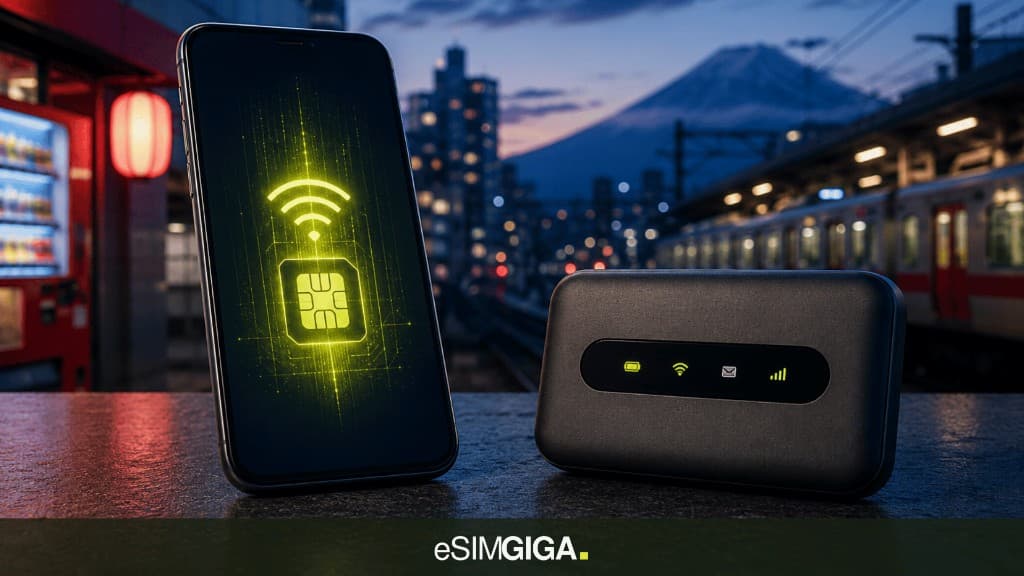
At Narita or Haneda, two queues. One waits for pocket Wi-Fi. The other already has data: a travel eSIM installed before the flight. Pocket Wi-Fi vs eSIM is not a draw. Compatible unlocked phone: take the eSIM. The box becomes relevant only when the eSIM does not hold.
This guide compares travel eSIM and pocket Wi-Fi for everyone: solo, couple, family, group, business, phones with no eSIM. The hosts are the same (Docomo, au (KDDI), SoftBank). Detail in the Japan network guide. Plans sit on the Japan comparison.
Supplier links are affiliates. They do not move the eSIM verdict or catalog prices. Detail in the methodology.
eSIM or pocket Wi-Fi in Japan: the verdict
| Factor | Travel eSIM | Airport pocket Wi-Fi |
|---|---|---|
| Purchase | Before the flight, two minutes | Desk, passport, often a deposit |
| Narita / Haneda queue | No | Yes, desk hours |
| Extra kit | None | Box + cable + often a spare battery |
| Host | The one written on the plan | Often Docomo / SoftBank / au (KDDI), not always named |
| Sharing | Phone tethering | One Wi-Fi for N devices |
| Home bank SMS | Keep the home line | Same: the box does not take your OTPs |
| Return | Nothing | Return queue, lost kit = a bill |
Rule: eSIM-ready phone, 1 to 3 lines, 5 to 21 days: eSIM. Large group, tablets with no cellular, carrier Galaxy with no eSIM: pocket Wi-Fi or plastic SIM. Staying on EE, Vodafone, Three or an EU home tariff in Japan is the worst of the three: often dearer, weaker radio (Opensignal, inbound travellers, June 2026).
Three eSIMs we track, useful once the phone passes the check:

CodeESIMG

CodeESIMP15

CodeSIMP
Who it is for: solo, family, group, business
| Profile | Pick | Why |
|---|---|---|
| Solo, compatible iPhone / Pixel / Galaxy | eSIM | Maps in the pocket, no queue |
| Couple, two unlocked phones | 2 eSIMs (or 1 + tethering) | Less kit than a box, each has a signal |
| Family, 2 adults + kids / tablets | Adult eSIMs + hotspot | Kids follow Maps without a desk |
| Group of 5+ who want one Wi-Fi | Pocket Wi-Fi or 2 eSIMs + hotspot | The box wins if nobody wants to drain their battery |
| Business trip, laptop | eSIM + tethering | The Haneda queue costs more than an hour of data |
| Older traveller, uneasy with a QR | eSIM installed at home (a relative helps) | The desk is not simpler once the deposit is down |
| Teenagers, one pack for the lot | 1 eSIM + hotspot, or a box if 6 phones | Count the lines, not « Japan » |
| Phone with no eSIM | Plastic SIM or pocket Wi-Fi | The eSIM is no longer relevant. Check the model first |
A reader with no eSIM radio is not « behind ». They need a different tool. The rest of this guide assumes a compatible SKU, the usual case on our catalog.
What pocket Wi-Fi actually wins
The box is not a 2015 relic. It wins three cases, not more.
- Many devices, one radio. Four kids’ tablets, two phones with shaky hotspot: a pocket unit avoids flattening the parent’s battery.
- No eSIM. Carrier-locked Galaxy, old iPhone, a phone bought in Japan. The QR will fail. The eSIM compatibility tool says so before you pay, not at Haneda.
- You refuse tethering. Some eSIM plans cut hotspot (fair use). A box stays an access point, even if the host behind it is the same MNO.
The rest (comfort, « the paper guidebook said so ») is not an argument. Docomo switched off 3G FOMA at the end of March 2026. An old 3G pocket Wi-Fi feels that. A recent eSIM phone does not.
What the eSIM wins (almost always)
Friction. Buy from the sofa. Install on home Wi-Fi. Enable on landing. No deposit, no desk hours, no return on departure day.
Weight. The phone you already carry. No lanyard, no dedicated power bank for the box.
A readable host. On eSIM Giga, the host networks column names Docomo, au (KDDI) or SoftBank. A pocket Wi-Fi desk often sells « Japan 4G » without naming the host. Same radio, less information.
Home line. Japan travel eSIMs are usually data only. UK bank SMS, Revolut, Monzo, PayPal stay on the home SIM. Pocket Wi-Fi does not change that. It does not simplify it either.
The network ranking applies to both tools. A SoftBank pocket Wi-Fi in Hakodate is no more magic than a SoftBank eSIM. Pick the host, not the plastic.
Queues, deposits, airport Wi-Fi
Narita and Haneda have public Wi-Fi. It is for a forgotten QR, not a week of Maps. Pocket Wi-Fi desks close. A late arrival, a connection, a ferry to Hakodate the next morning: the counter is gone.
The deposit (card hold, sometimes cash) is not a footnote. Broken kit, not returned, dead battery on day 10: the bill often tops a 10 GB eSIM.
Install the eSIM before the flight. Home Wi-Fi, or the hotel on a layover, is enough. Scanning a QR in a jet-lag queue is worse.
Who rents pocket Wi-Fi in Japan
You are not picking a network. You are picking a rental brand that still sits on Docomo, SoftBank or au (KDDI).
At Narita and Haneda desks, the usual names are Telecom Square, SoftBank Global WiFi and similar airport agents. Online, travellers mostly book Japan Wireless, Ninja WiFi or WiFiBOX, with airport or hotel pickup.
Read the same three lines as on an eSIM: which host, daily fair use, and what happens if you miss the return. We do not run a live rental catalog. We do run the Japan eSIM comparison.
Estimate gigabytes for maps, video and hotspot.
Open calculatorPHONEeSIM compatibilityCheck iPhone, Pixel and Galaxy before you buy. EE, Vodafone or Three SKUs are not always eSIM.
Check my phoneHow much data for your trip in Japan?
Three typical trips, same maths as the calculator. Maps, chat, Reels or a laptop on tethering: the same gigabytes on an eSIM or a pocket Wi-Fi box. Turn off photo backup on cellular if you want the low end.
Estimate 9 GB · Maps, chat, Instagram. No Reels, no laptop.
Estimate 18 GB · Same base, plus half an hour of video a day.
Estimate 34.4 GB · One hour of phone tethering a day for the computer.
How to choose
Start with the phone, not the airport desk.
Open the compatibility tool. If the handset has no eSIM, stop: plastic SIM or pocket Wi-Fi. The rest of this list does not apply.
If eSIM works: count the phones that need data. One to three compatible devices: buy eSIM lines. Five or more, with no reliable tethering: a box can be simpler than draining one phone’s battery.
Then read the host on the Japan comparison (Docomo, au (KDDI), SoftBank). Ignore a poster that only says « 5G Japan ».
Install the eSIM at home, on Wi-Fi, before you fly. Narita public Wi-Fi is a backup, not a shop. Keep the home line in the phone for bank SMS. Size the pack for Maps, Reels and a laptop if you work. Do not buy « unlimited » because you are afraid of running out.
Mistakes that still cost money
- Renting pocket Wi-Fi “because it is simpler”
Queue, deposit, return. An eSIM installed at home is the simplest move once the phone is compatible.
Check compatibility - Staying on home roaming to dodge the choice
Often dearer and worse than an eSIM on Docomo or au (KDDI). The box does not fix the home-carrier bill either.
Compare Japan eSIMs - One box for two adults who each have an iPhone
Two eSIMs, or one plus tethering. Pocket Wi-Fi mainly wins from a real group.
Japan plans - Scanning the QR on a phone with no eSIM, at Haneda
Run the check before you pay. If the phone has no eSIM: plastic SIM or rental, not a QR in the queue.
Check the model - Assuming the box magically picks the best network
It uses the same MNOs. Read the host, as with an eSIM.
Host table
FAQ
eSIM or pocket Wi-Fi in Japan?
If the phone is compatible and unlocked, take the eSIM. Pocket Wi-Fi wins for a large group, tablets with no cellular, or a handset with no eSIM. Not for an unlocked iPhone and ten days in Tokyo.
Is pocket Wi-Fi cheaper than a Japan eSIM?
Rarely, once you add the deposit, rental days and the queue. An eSIM is paid in two minutes and installed before you fly. Compare price per GB on the Japan catalog, not the counter poster.
Can I share an eSIM with my family?
Yes, with tethering (hotspot in the phone UI). One adult line can cover tablets and kids on Maps. Two or three eSIMs stay cleaner than one box if everyone has a mobile.
Where do I pick up pocket Wi-Fi at Narita or Haneda?
Rental desks, passport, often a deposit or card. Limited hours. An eSIM installed at home skips that jet-lag queue.
What if my phone has no eSIM?
Then the eSIM is not relevant. Plastic SIM or pocket Wi-Fi. Check the model in the compatibility tool before you buy a QR.
Which companies rent pocket Wi-Fi in Japan?
Airport desks are often Telecom Square, SoftBank Global WiFi or similar agents. Online, Japan Wireless, Ninja WiFi and WiFiBOX are the names travellers book. They still ride Docomo, SoftBank or au (KDDI). We compare eSIMs, not rental SKUs.
Sources
External sources open in a new tab.
- Opensignal, Beyond roaming: how Japanese operators can win the inbound traveller, June 2026.
- NTT Docomo: 3G FOMA shutdown end of March 2026 (an old 3G pocket Wi-Fi feels it). Emergency JAPAN Roaming (18 March 2026) does not apply to a tourist eSIM.
- eSIM Giga catalog: Japan comparison (price, hosts, hotspot).
- Related guide: What is the best mobile network in Japan?.
A pocket Wi-Fi and a travel eSIM borrow the same MNOs. What changes is friction. Once the phone is compatible, we stay on the eSIM.